Offline music on long runs is brilliant until the watch dies at 18km, the headphones disconnect, or the race marshal tells you in-ear buds are not allowed. The safest setup is not always the neatest one: for offline music long runs watch battery planning matters as much as the playlist. If the run is longer than 90 minutes, decide before you leave whether the watch is your music player, your backup, or only your GPS tracker.
In This Article
- The Simple Rule for Offline Music on Long Runs
- Offline Music, Long Runs and Watch Battery Life
- Watch, Phone or Both: Which Setup Makes Sense?
- Headphones: Open-Ear, Bone Conduction and In-Ear Trade-Offs
- Race Rules: What UK Runners Need to Check
- A Pre-Run Battery Checklist That Actually Works
- Common Failures and Quick Fixes
- Bottom Line
- Frequently Asked Questions
The Simple Rule for Offline Music on Long Runs
Use watch-only music when you want a light, simple run and the route is familiar. Use your phone when the run is long, remote, navigationally messy, or likely to end with a call, train, taxi, cafe stop or family pickup. Use both only when you have a clear reason, because two connected devices can create more battery faff than one.
The three useful setups
For most UK runners, the decision is not “which music watch is best?” It is “what can fail today, and what would be annoying if it did?”
- Watch-only music: best for steady 60-120 minute runs where you want empty pockets and no screen temptation.
- Phone-only music: best for longer runs where safety, maps, messaging and payment matter more than minimal kit.
- Watch for GPS, phone for music: best when you want reliable run data but do not trust your watch to handle GPS, Bluetooth audio and alerts for the whole route.
I like watch-only music for loops from home where I know every bailout point. For a three-hour Sunday run on lanes, trails or towpaths, I would rather carry a phone and finish with 60% watch battery than nurse a watch through the last half hour with no music and no navigation.
That is the main point. Offline music is not a badge of purity. It is a convenience feature. If it makes the run cleaner, use it. If it makes the run more fragile, carry the phone.
When offline music is worth it
Offline music earns its keep when you are doing repetitive training: long easy miles, marathon pace blocks, treadmill sessions, solo commutes, or out-and-back routes where you do not need live maps. Downloaded playlists also avoid the weak-signal problem you get in wooded parks, rural valleys and patchy suburban edges.
It is less useful for group runs, technical trail runs, races with strict rules, or sessions where you need to hear traffic, bikes, dogs, marshals or the person next to you. On those runs, music should sit behind awareness rather than dominate the whole experience.
If you are still choosing the watch itself, start with our GPS running watch guide and treat music as one feature, not the whole buying decision.
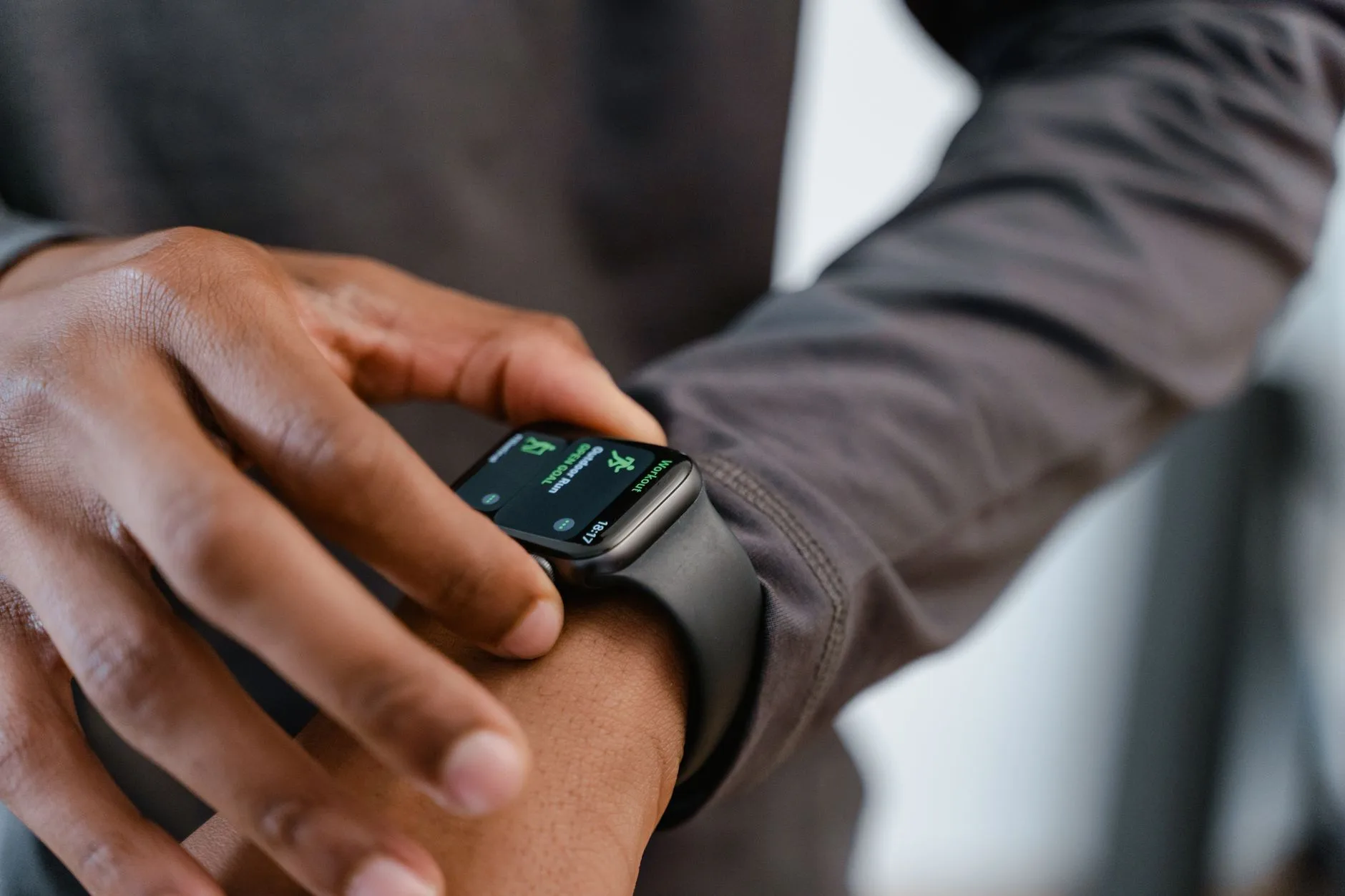
Offline Music, Long Runs and Watch Battery Life
Music is one of the quickest ways to cut a running watch battery estimate. GPS is already doing the heavy lifting. Add Bluetooth audio, storage access, screen wake-ups and notifications, and the battery drops much faster than it does on a normal tracked run.
The numbers runners should plan around
Manufacturer claims are useful, but plan conservatively. Garmin says the Forerunner 165 Music can last up to 7 hours in GPS-only mode with music, compared with longer GPS estimates without music, according to its battery-life assumptions for the Forerunner 165 Music. That is plenty for a half marathon or normal marathon training run, but it is not a free pass for an ultra, a slow marathon, or a long day where the watch starts at 64%.
As a rough UK buying reference:
- Garmin Forerunner 165 Music: about £280-£290 at UK retailers when not discounted.
- Garmin Forerunner 265: often around £380-£430, with stronger training features and music support.
- COROS Pace 3: usually around £219 in the UK, with strong GPS battery and onboard music support.
- Apple Watch SE: often around £219-£249, excellent as a smart watch but less relaxed for very long GPS-and-music days.
Those prices move during sales, but the pattern is steady: music support usually costs more than the non-music version, and the best battery value is not always the most famous brand.
Why the estimate changes on real runs
The advertised number assumes specific settings. Real runs add variables:
- Satellite mode: dual-band or all-systems GPS uses more power than GPS-only.
- Screen behaviour: always-on AMOLED screens drain faster than gesture-only use.
- Bluetooth signal: weak or unstable headphone connections make the watch work harder.
- Notifications: constant phone alerts keep waking the watch.
- Temperature: cold winter runs can make batteries feel worse, especially on older watches.
- Navigation: breadcrumb routing, maps and course alerts all add load.
That is why an “up to 7 hours” claim is not the number I would use for a race plan. I would want at least a 30% buffer. If your expected run time is 4 hours, start with enough watch battery for 6. If the watch is old or you use always-on display, be stricter.
For the broader battery factors, the existing running watch battery life guide goes deeper. Here, the practical point is simpler: offline music is a battery mode, not just an audio feature.
The hidden cost of “just one podcast”
Long podcasts are riskier than playlists because you notice failures later. If a playlist stops, you hear silence. If a podcast has downloaded badly, skipped, or failed to sync, you may not realise until 40 minutes into the run when you are already committed.
Before a long run, open the music app on the watch, start the first track or episode, and confirm it plays through the headphones while the phone is away or in aeroplane mode. That 30-second check prevents most “why is it streaming?” mistakes.
Watch, Phone or Both: Which Setup Makes Sense?
The right setup depends on distance, route risk and how much you care about pockets. A sleek watch-only setup feels great on a short run. It can feel less clever when rain starts, the route changes, and you realise your emergency phone is on the kitchen table.
Watch-only music
Choose watch-only music when the run is controlled: familiar roads, known parks, clear pavement, easy bailout options and no need for live navigation. It is excellent for marathon training blocks where you want fewer distractions and consistent pacing.
The downside is that the watch becomes a single point of failure. It tracks the run, plays the audio, handles alerts, and sometimes manages navigation. If battery drops faster than expected, you may have to choose between music and tracking.
I would use watch-only music for:
- Easy local loops: 45-100 minutes from home.
- Treadmill runs: no safety need for a phone if the gym has lockers and reception.
- Parkrun warm-ups: only if you are not using headphones during the event itself.
- Short commute runs: provided you have payment or keys sorted elsewhere.
Phone-only music
Phone-only music is less elegant but more robust. A modern phone has more storage, easier app control, better podcast handling, maps, contactless payment, live location sharing and emergency calls. If you already carry a phone in a running belt or vest, there is no need to force music through the watch.
A good running belt costs about £18-£35 from Decathlon, Amazon UK or specialist running shops. A proper hydration vest costs more, usually £55-£140, but for long runs it solves phone, water, gels, keys and jacket storage in one go. Our running belts guide is the better place to compare those options.
Phone-only music suits:
- Two-hour-plus runs: especially if the route is rural or changeable.
- Runs with family logistics: school pickups, train returns, cafe stops, lifts home.
- Navigation-heavy routes: trails, canal paths, unfamiliar towns.
- Bad-weather runs: when you may need to call or reroute quickly.
Watch for GPS, phone for music
This is the least glamorous setup and often the best one. Let the watch do what it does well: GPS, pace, lap alerts and heart-rate data. Let the phone handle audio. You keep the watch battery cleaner, avoid watch music sync issues, and still get proper run data.
The main irritation is carrying the phone. Use a snug belt rather than a loose pocket. A bouncing phone will ruin a long run faster than a boring playlist. If the phone is in a vest, place it where you can pause audio without taking the vest off.
For runners comparing devices, the best GPS watches for beginners and best running watches under £200 guides are useful because not every good running watch needs music storage.
Headphones: Open-Ear, Bone Conduction and In-Ear Trade-Offs
Headphones are not just a comfort choice on long runs. They affect awareness, race legality, wind noise, sweat, fit under hats, and how tired your brain feels after two hours of sound.
Bone conduction and open-ear models
Bone conduction headphones sit outside the ear canal and leave the ear open. They are not hi-fi. Bass is weaker, traffic noise gets in, and podcasts can be harder to hear beside busy roads. That is also the point. You stay more aware of bikes, cars, dogs, runners and marshals.
The Shokz OpenRun is usually around £130, while the Shokz OpenRun Pro 2 is about £169 in the UK. The cheaper OpenMove often sits around £80. For long runs, I would rather have secure open-ear headphones with slightly worse sound than sealed earbuds that make every road crossing feel like guesswork.
If you want the product-by-product view, use our running headphones comparison. For this article, the practical rule is: open-ear is the default for roads and races; in-ear is for controlled environments where awareness is less critical.
In-ear running earbuds
In-ear buds sound better and block more wind. They are useful on treadmills, closed parks, quiet off-road paths and winter runs where bone conduction can struggle under hats. Budget sports earbuds from JLab or Anker often cost £25-£60. Jabra Elite Active models tend to sit around £80-£160 depending on age and sale pricing.
The trade-off is awareness. Noise cancelling is a poor fit for road running. Even if you keep transparency mode on, you are still relying on electronics to give back the sound you blocked in the first place. That is fine for some runs. It is daft near traffic.
One-ear running is not a perfect workaround
Some runners use one earbud in and one out. It can help, but it is not the same as open-ear audio. You still have one blocked ear, stereo podcasts can sound odd, and some races ban in-ear headphones regardless of whether you use one or two.
If you go this route for training, keep the volume low enough that you can hear your own footstrike and nearby conversation. If you cannot hear someone say “bike behind” from a few metres away, the setup is too closed for shared paths.

Race Rules: What UK Runners Need to Check
Race rules are where offline music catches people out. A setup that is fine on a Sunday long run may be banned in a UKA-licensed road race, especially on open roads. Do not assume that “everyone wears them” means they are allowed.
The UKA position in plain English
England Athletics says bone conduction sports headphones are approved for use in all road races under UK Athletics rules, while in-ear headphones cannot be used where the route is shared with other users and not closed to anyone except runners. Their headphones guidance with Shokz is clear enough for most runners: open-ear bone conduction is the safer race-day bet.
Individual organisers can still be stricter. Some races ban all headphones. Cross-country events often have tighter rules. Trail races vary. Closed-road mass events may allow more, but the only source that matters is the race instructions you agreed to when entering.
What to check before race day
Do this a week before the race, not at 7am in the car park:
- Read the race instructions PDF or final email.
- Search the page for “headphones”, “earphones”, “bone conduction” and “UKA”.
- Check whether the course is fully closed road, open road, trail, cross-country or multi-lap.
- If the wording is unclear, email the organiser with the exact model you plan to wear.
- Take screenshots of the rule if you need to remember it, but follow marshal instructions on the day.
For races, I would avoid sealed in-ear buds unless the organiser plainly allows them. A disqualification over headphones is a silly way to waste an entry fee, travel time and a decent training block.
Music and pacing on race day
Music can help pacing, but it can also detach you from the race. You may miss marshal calls, drinks-station warnings, faster runners overtaking, or your own breathing getting ragged. If you do use audio, keep it boring and predictable. Race day is not the moment for a new playlist, new headphones or a freshly updated watch app.
For marathons and half marathons, I prefer using lap alerts and a quiet playlist over anything too energetic early on. The first 5km of a race already gives you enough adrenaline. You do not need a chorus convincing you to run 20 seconds per kilometre too fast.
A Pre-Run Battery Checklist That Actually Works
Most audio failures are not mysterious. They are boring admin mistakes: watch not charged, playlist not downloaded, headphones paired to the wrong device, phone left with Bluetooth on, or a podcast that only exists in the cloud.
The night-before check
Use this before any long run where offline music matters:
- Charge the watch to 90-100%: do not start a long music run from 54% unless you have tested that exact setup.
- Charge headphones fully: most running headphones claim 6-12 hours, but older batteries rarely feel new.
- Download music over Wi-Fi: do not rely on the watch syncing while you tie your shoes.
- Start one track offline: play it with the phone disconnected or in aeroplane mode.
- Choose the GPS mode: avoid high-power modes unless the route really needs them.
- Turn off excess alerts: calendar, app and message pings wake the screen and break concentration.
- Pack a fallback: phone, bank card, or emergency contact option for remote routes.
That list sounds dull because it is. It also works. I have had more long-run tech failures from half-synced podcasts than from broken hardware.
The 10-minute pre-run check
Before you start, put the headphones on, start GPS acquisition, and let the first track play while you walk outside. Wait until the watch has a proper GPS lock before pressing start. Starting under trees or beside tall buildings can waste battery while the watch hunts for satellites.
If the headphones connect to your phone instead of your watch, fix it before the run. Do not trust Bluetooth to sort itself out at kilometre three. It will choose the worst possible moment to be clever.
Settings that save battery without ruining the run
Small changes help:
- Use gesture display instead of always-on: especially on AMOLED watches.
- Keep volume moderate: high volume drains headphones faster and reduces awareness.
- Use GPS-only on familiar road routes: if your watch allows it and accuracy is good enough.
- Disable phone notifications on the watch: keep run alerts, lose everything else.
- Avoid live maps unless needed: breadcrumb navigation is lighter than full map use on watches that offer both.
If you are racing, test those settings in training first. Never discover a new watch mode during an event.
Common Failures and Quick Fixes
The best long-run setup is the one you can rescue without stopping for five minutes in the rain. Plan the likely failures and they become irritating rather than run-ending.
The watch battery is dropping too fast
First, pause the music rather than the activity. Keeping the run file matters more than keeping the playlist. Turn off always-on display if your watch allows it mid-activity, stop navigation if you know the route, and reduce screen wake-ups.
If you are using the phone as well, move music to the phone and let the watch carry on tracking. This is where the watch-for-GPS, phone-for-music setup wins.
The headphones disconnect
Do not keep stabbing buttons while running hard. Slow down, move away from busy Bluetooth environments if you are near a start area or gym, and reconnect calmly. If they keep dropping, switch to phone speaker only if you are somewhere private and safe. Nobody on a towpath wants your tempo playlist.
For repeated disconnects, delete old pairings and pair again at home. Many runners have headphones paired to a watch, phone, laptop and tablet, then wonder why they behave like they have commitment issues.
The playlist is missing
If the playlist is missing, do not burn the first kilometre trying to fix sync. Use what is available or run without it. A missed playlist is annoying; a rushed start can spoil the whole session.
For podcasts, download two short backup episodes rather than one huge file. Smaller files tend to sync more predictably, and if one fails you still have something.
The race bans your headphones
If the organiser says no, accept it. Put the headphones away before the start. You can still use the watch for pacing, lap alerts and post-race data. If music is central to your pacing, practise at least a few long runs without it before race day.
This matters more than people admit. If every key long run needs audio to feel manageable, race day without audio will feel oddly exposed. Train that skill too.
Bottom Line
For most long runs, the best setup is simple: watch for GPS, phone for music, open-ear headphones for awareness. Use watch-only offline music when the route is familiar, the run is under two hours, and you start with plenty of battery. For races, check the organiser’s headphone rule before you pack anything.
If I were buying from scratch for UK long runs, I would prioritise a reliable watch first, a comfortable belt or vest second, and open-ear headphones third. A £219 COROS Pace 3 or a £280-£290 Garmin Forerunner 165 Music can both work, but neither fixes poor battery habits. A £130 pair of Shokz OpenRun headphones is useful if you race and run roads; sealed earbuds are better kept for treadmills, gyms and quiet routes.
Offline music long runs watch battery planning is not glamorous. It is just the difference between a clean two-hour run and 20 minutes of silent irritation at the end.
Frequently Asked Questions
Does offline music drain a running watch battery faster? Yes. GPS plus Bluetooth audio uses more power than GPS alone, so plan with a buffer rather than relying on the best-case battery figure.
Should I play music from my watch or phone on a long run? Use the watch for shorter familiar runs where you want minimal kit. Carry the phone for longer, remote or changeable routes.
Are bone conduction headphones allowed in UK races? They are commonly the accepted option under UK Athletics road-race rules, but each organiser can set stricter conditions, so check the race instructions.
Can I use in-ear headphones for marathon training? Yes, but keep the volume low and avoid noise cancelling near traffic or shared paths. Open-ear models are safer for roads.
How much battery should I start with before a long music run? Start near full. As a rule of thumb, have at least 30% more watch battery capacity than your expected run time needs.
What is the safest race-day audio setup? The safest setup is usually bone conduction headphones at low volume, or no headphones at all if the organiser bans them or the route needs full awareness.